Creator Program:Earn 20% recurring commission on eligible referrals.Recurring payouts for approved referrals.
Beauty Thumbnail Ideas

BeautyYouTube ThumbnailIdeas

Beauty thumbnail ideas for GRWM videos, makeup tutorials, skincare routines, product reviews, glow-ups, and hauls. Pick a thumbnail style you like.Then tell VisualKit about your video and make the thumbnail your own.

27k+

Trusted by 27k+ creators

How it works

From your beauty video to a finished thumbnail

Say what the beauty video shows, pick a thumbnail style you like, then compare and edit a few options before you upload.

01STEP 1 · DESCRIBE

Tell VisualKit about your video

Start with what viewers will actually see: a GRWM, a makeup look, a skincare routine, a product review, or a before and after.

Say what the video shows
Add the look or mood
Add your own photo
Live previewCreate
Prompt
grwm for a night out | makeup, hair and outfit
Pick your favorite16:9 · YouTube
Compare the subject, text, contrast, and composition before choosing a direction.
02STEP 2 · CHOOSE

Pick a thumbnail style you like

Choose a look — soft glam, clean skincare, bold product review — and VisualKit makes your thumbnail in that kind of look. Your video idea stays yours.

Choose a look you like
Keep your own video idea
Compare a few options
Live previewRemix
youtube.com/watch?v=dQw4w9W...
Original
Original thumbnail style reference
RecreatedAI
Recreated version matches style
Detected style
Bold TextDark BGClose-upHigh Contrast
03STEP 3 · REFINE

Edit until it reads on a phone

Ask for shorter text, a bigger product, or a calmer background, and VisualKit updates the thumbnail you picked.

Shorten the text
Make the product bigger
Clean up the background
Live previewImprove
Edit
make the text less boring
Drag to compare
After improvements resolved
Original thumbnail baseline draft
Before
After
Vest color -> blueTaco -> hamburgerContrast +18%
Thumbnail inspiration

Beauty thumbnail ideas

Beauty thumbnails made in VisualKit for GRWM videos, makeup looks, skincare restocks, and product reviews. See a look you like? Use it for your own thumbnail.

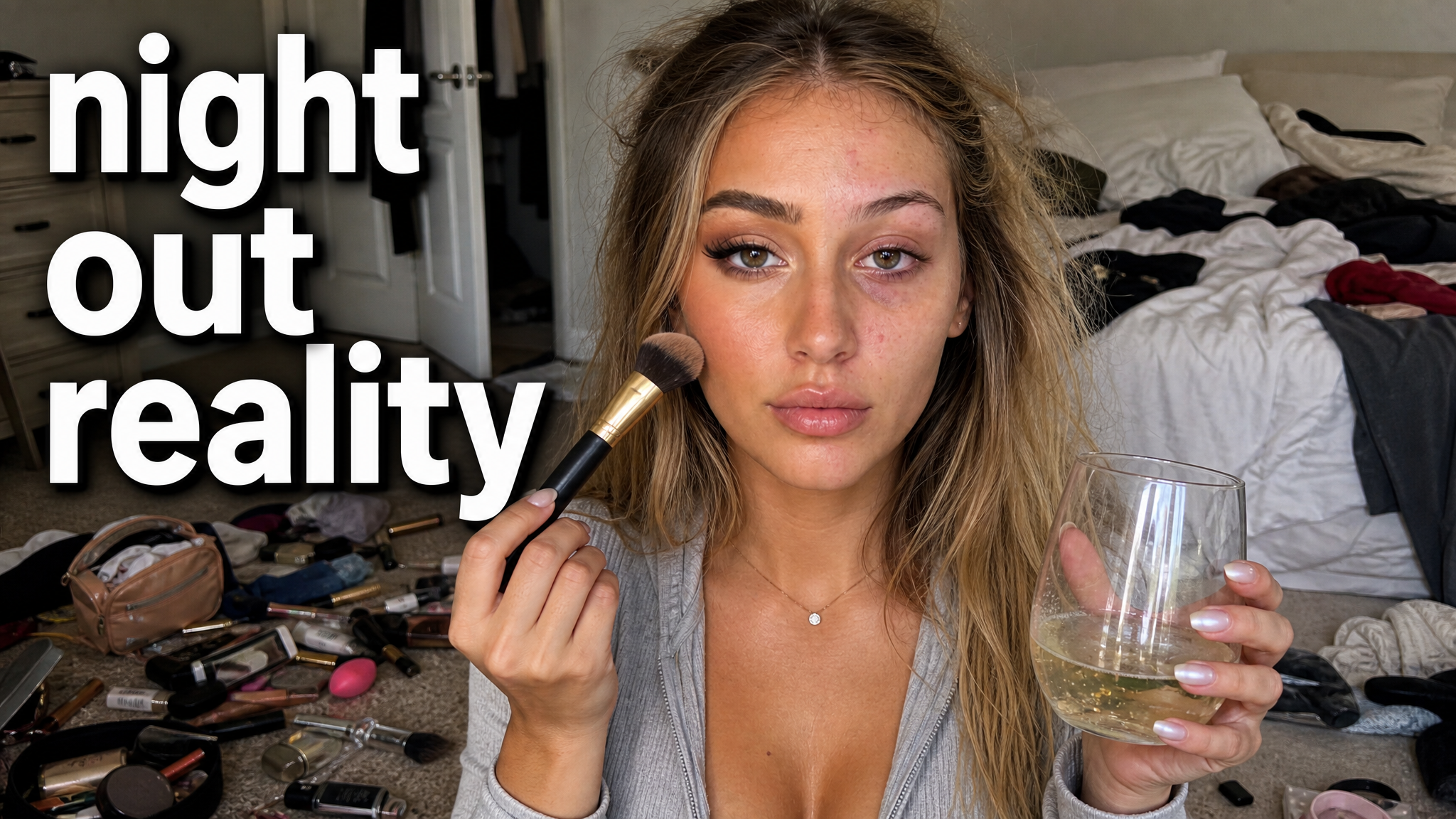
Beauty thumbnail idea for a GRWM night-out video: a creator doing her makeup in a bedroom full of products
NIGHT OUT REALITY
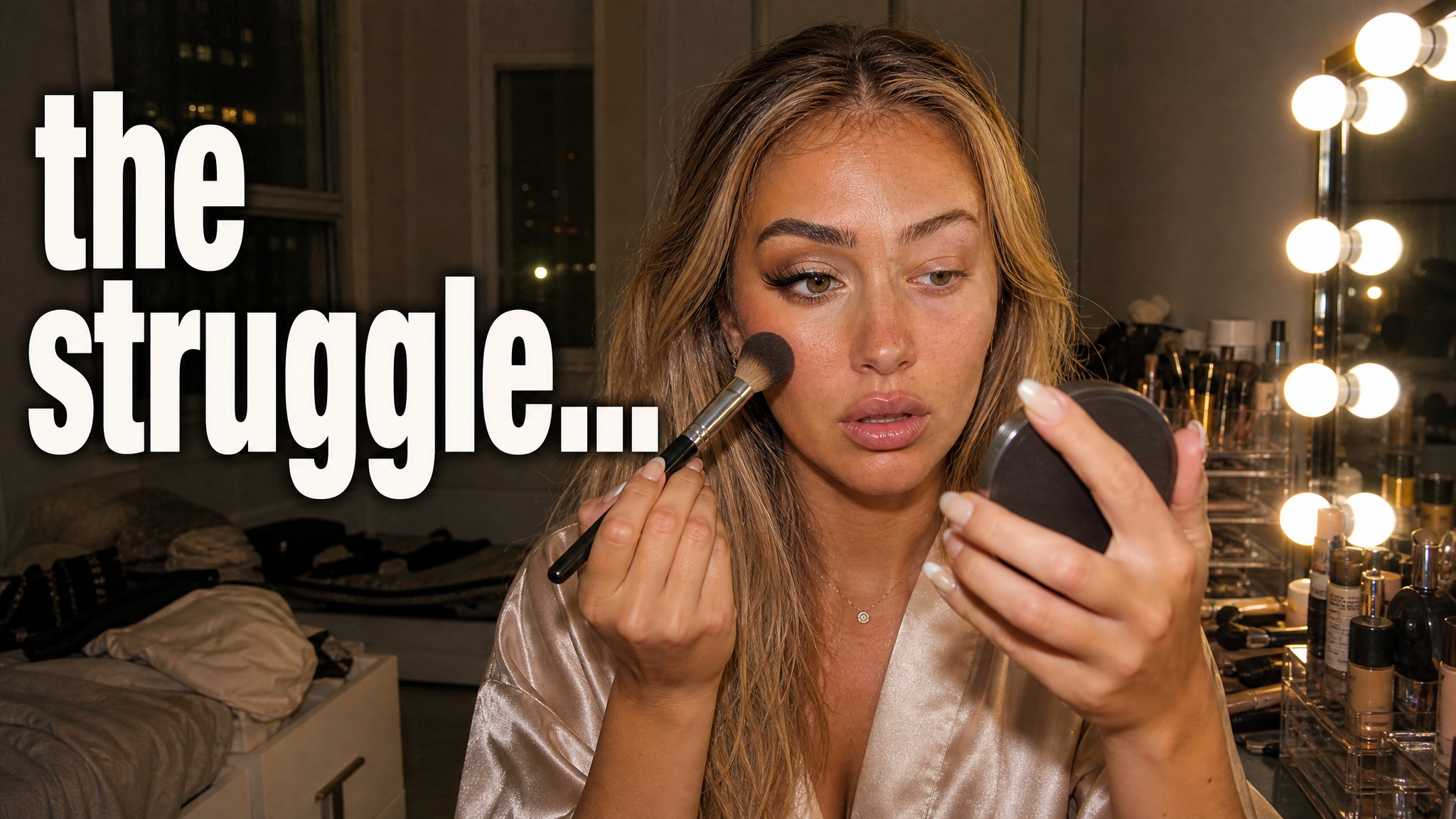
Beauty thumbnail idea for a GRWM video filmed at a lit vanity mirror
THE STRUGGLE...
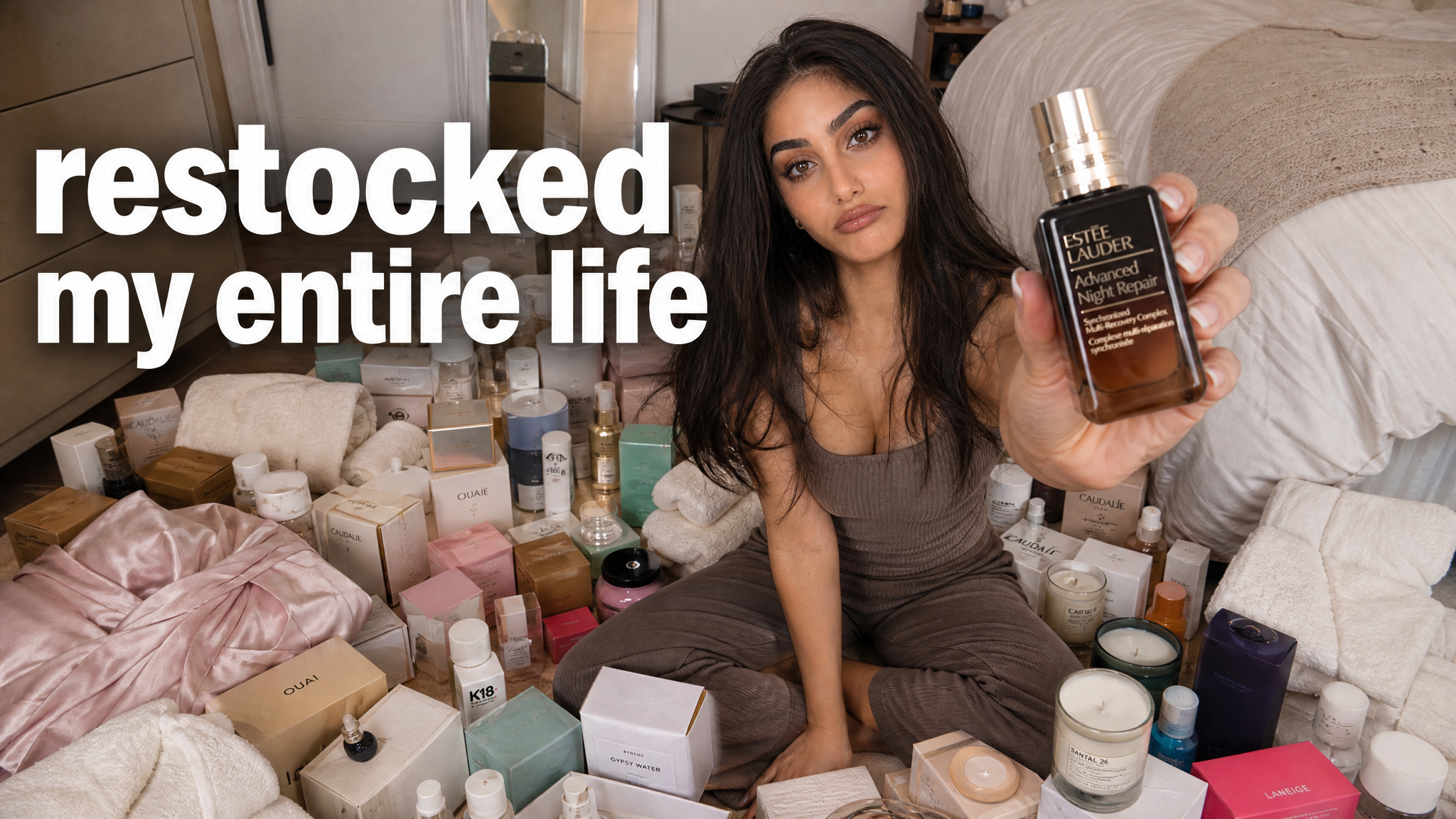
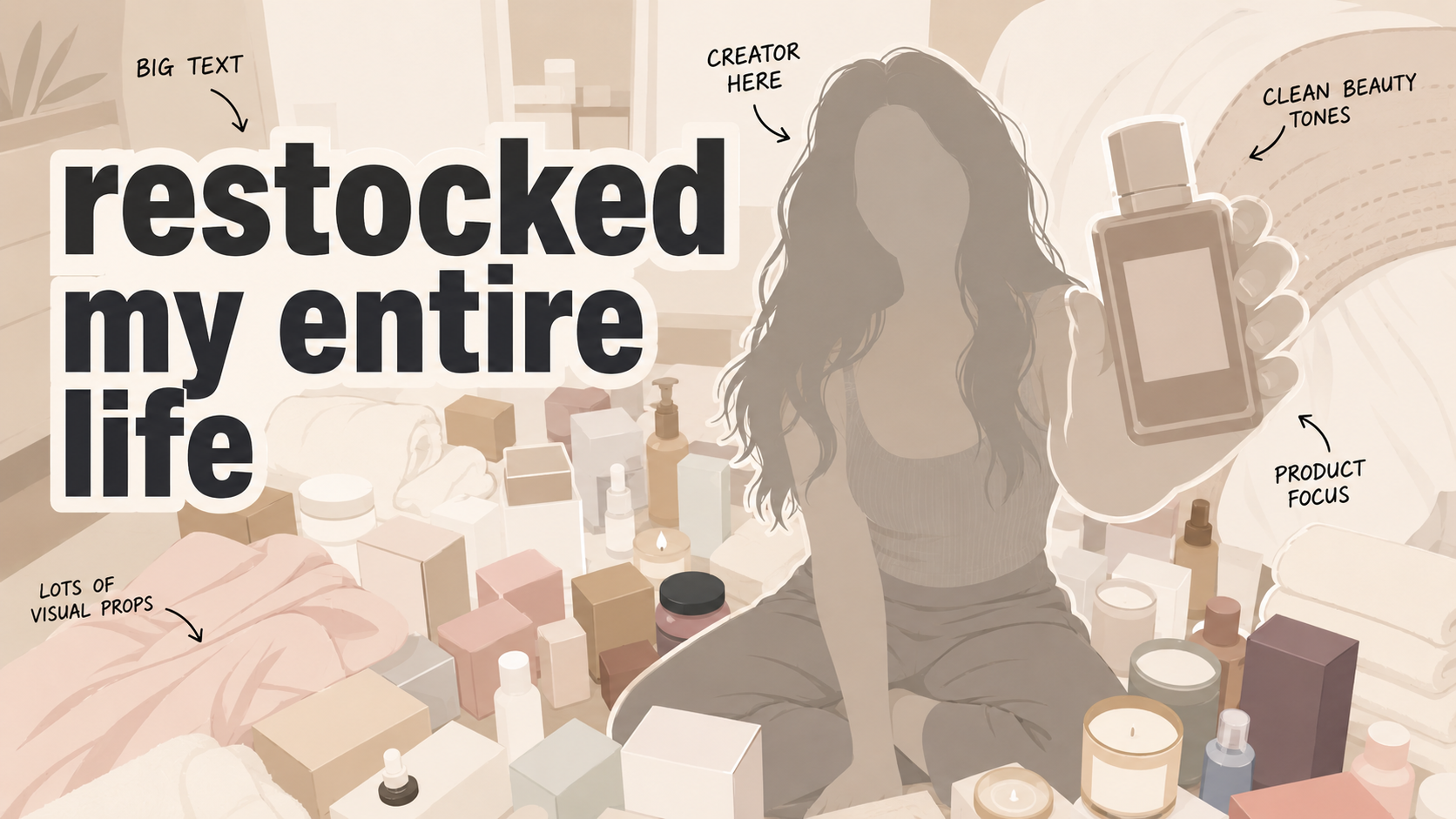
Beauty thumbnail idea for a skincare and self-care restock haul, with products covering the floor
RESTOCKED MY ENTIRE LIFE
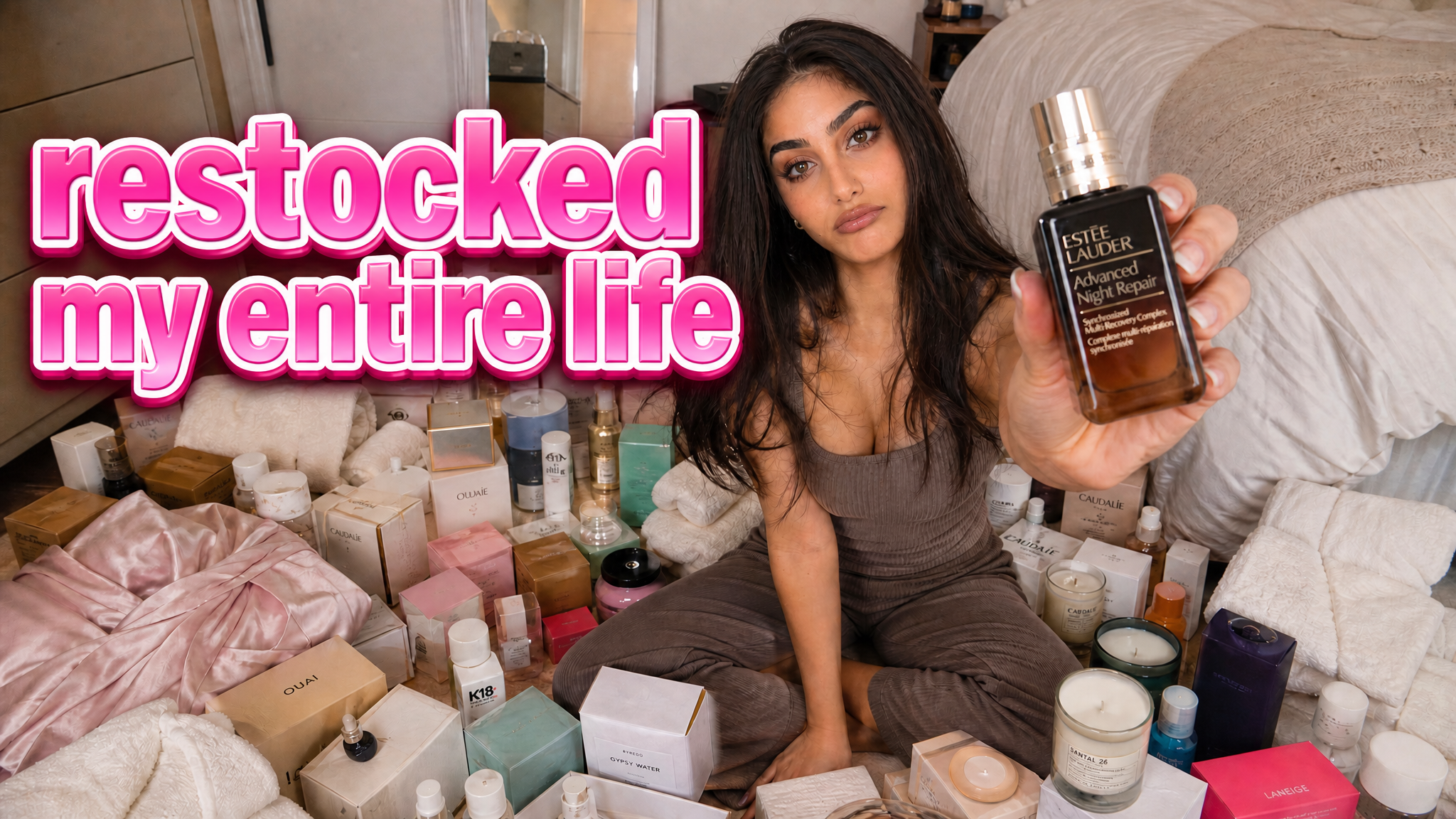
The same skincare restock thumbnail after asking for bolder pink text
SAME PHOTO, BOLDER TEXT
Before you publish

A strong video needs a clear thumbnail.

Give viewers one clear reason to understand the video, then compare several directions before you publish.

8:42
212K views · 2 days ago
Yours
112 views · 2 days ago
Skipped
12:06
301K views · 5 hours ago
01 · Clarity

Too much to understand

When every detail competes, the video's main subject or result disappears at a small size.

D
DesignerExternal design chat
Revision 4
Can we make the title pop?
thumb_v2.psdPhotoshop · 2.4 MB
Closer — try another crop?
thumb_v3_FINAL.psdPhotoshop · 2.4 MB
02 · Revisions

A slow edit loop

Moving every revision between tools and files makes it harder to compare the actual ideas.

Last uploadPerformance overview
CTR
Avg. views
Test result
Thumbnail performance
No comparison data
03 · Comparison

One option, no baseline

With only one direction, you cannot compare the subject, text, color, or composition before publishing.

VisualKit brings the steps together

Create, compare, refine, and export in one workspace.

01Clarity
Too many detailsOne clear idea
02Workflow
Manual revisionsPrompt-based edits
03Choice
One draftSeveral directions
Start Free Trial
Built for creators who want faster decisions, not more tools.
Beauty thumbnail ideas by video type

Thumbnail ideas for every beauty video

A beauty thumbnail usually shows one of four things: your face, the makeup look, the product, or the change. Pick the one your video is really about and make it the biggest thing in the frame.

GRWM thumbnails

Show where you are getting ready to go — a night out, a first date, a wedding, a normal work day. The occasion is the reason people click.

Makeup tutorial thumbnails

Show the finished look, or the one step people came to learn. Keep your face and the makeup bigger than the brushes and palettes.

Skincare routine thumbnails

Show the products you actually use or the skin result. A visible shelf reads faster than a list of ingredient names.

Product review thumbnails

Put the product next to one honest question: worth it, overhyped, or the shade that finally matched.

Before and after thumbnails

Use the same crop and lighting on both sides, plus a short label such as DAY 1 and DAY 30, so the change is obvious.

Glow-up thumbnails

Lead with the change and how long it took. One clear before and after beats a collage of five photos.

Hair and self-care thumbnails

Show the result you would want to copy: a wash day, a mask that worked, a Sunday reset. Keep it to one moment.

Haul and restock thumbnails

Show how much you bought. Group the products together and add a short label such as FULL RESTOCK or $300 HAUL.

More thumbnail ideas

Ideas for other kinds of videos

Beauty is one starting point. The same workflow works for fitness, travel, faceless, and aesthetic videos.

Choose your plan

Simple Pricing

Choose a monthly credit allowance for your publishing schedule.

Starter

$20/mo

For creators posting consistently every month.

Includes:

  • Up to 50 thumbnails / month
  • Niche templates and reference tools
Recommended

Pro

$40/mo

For creators publishing several times a week.

Everything in Starter, plus:

  • Up to 150 thumbnails / month
  • 1,500 monthly credits

Ultra

🚀
$80/mo

For high-volume creators and teams.

Everything in Starter, plus:

  • Up to 400 thumbnails / month
  • 4,000 monthly credits
Beauty thumbnail FAQ

Beauty Thumbnail Questions

Tell VisualKit what the video is — a GRWM, a makeup look, a skincare routine, a product review — and pick a thumbnail style you like. VisualKit creates a few thumbnail options, you edit the one you like best, and export it at 1280×720.
A beauty thumbnail usually shows your face, the makeup look, the product, or the before and after. Pick whichever one the video is about, keep it large, and keep the background simple so it still reads on a phone.
Short text that adds the occasion, such as NIGHT OUT, FIRST DATE, SOFT GLAM, or GRWM. The photo already shows the look, so the text should add something the picture cannot.
Yes. VisualKit works for makeup tutorials, skincare routines, product reviews, glow-ups, hair videos, and beauty hauls. Describe the video, compare the options, then ask for changes to the text, the product, or the background.
YouTube thumbnails are 1280×720 pixels, in a 16:9 shape. VisualKit exports beauty thumbnails at that size, ready to upload.
No. Describe the video in plain words, pick a style, and ask for changes in plain words too. There are no layers or masks to set up.

What is VisualKit?

VisualKit is an AI YouTube thumbnail maker for creators who want to generate a new design, remix a reference, analyze an existing thumbnail, or revise an image with plain-language instructions. It produces upload-ready 1280×720 thumbnails in the browser, without requiring Photoshop.

Start with a video title or idea, compare generated options, then refine text, composition, color, or imagery. For practical guidance, read our thumbnail design guide or check the recommended YouTube thumbnail size.

Thumbnail Sizing

VisualKit: Built-in 1280×720, 16:9 export

Photoshop
Manual canvas configuration
Canva
Requires manual template editing
Generic AI Generators
Aspect ratio depends on the model and prompt

Reference-Based Direction

VisualKit: Reference-driven remixing from a YouTube URL

Photoshop
Manual reproduction from scratch
Canva
Relies on generic static templates
Generic AI Generators
No dynamic style copying

Text & Adjustments

VisualKit: AI prompt editing (e.g., 'make text bigger')

Photoshop
Manual layer manipulation
Canva
Manual drag-and-drop alignment
Generic AI Generators
Text handling varies by model

Creation Time

VisualKit: Generate and revise in one workflow

Photoshop
Manual layer-by-layer workflow
Canva
Template and drag-and-drop workflow
Generic AI Generators
Often requires separate editing tools