Creator Program:Earn 20% recurring commission on eligible referrals.Recurring payouts for approved referrals.
Brawl Stars Thumbnail Maker

BrawlStars Thumbnail Makerfor YouTube.

Create Brawl Stars YouTube thumbnails for trophy pushes, Showdown, gadgets, tier lists, new brawlers, and update videos. Compare several game-specific directions.Refine your choice and export a 1280×720, 16:9 thumbnail.

26k+

Trusted by 26k+ creators

Example thumbnail

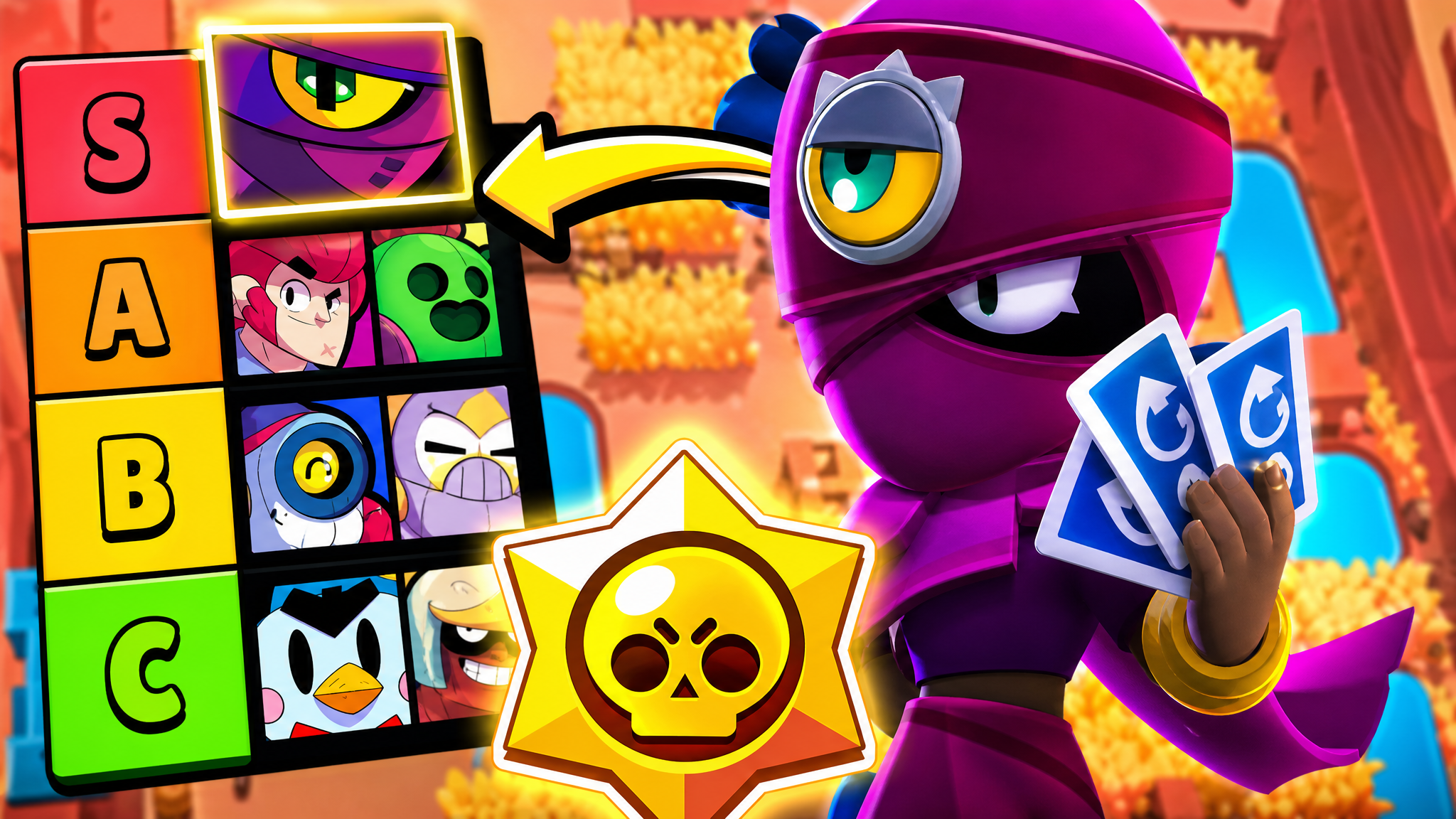
A Brawl Stars thumbnail made with VisualKit

This 16:9 example shows how VisualKit can frame one clear subject and video idea for a Brawl Stars upload.

Brawl Stars thumbnail maker example for a brawler guide or showdown video
Three-step workflow

Create a Brawl Stars YouTube thumbnail

Describe your Brawl Stars video, compare several thumbnail directions, refine the clearest option, and export it for YouTube—all in one workspace.

01STEP 1 · DESCRIBE

1. Describe the Brawl Stars video

Enter the main subject, story, or result. Add a reference image when it helps explain the character, scene, or visual style you want.

Start with a clear Brawl Stars video idea
Name the main subject, action, or result
Add reference images when they improve the direction
Live previewCreate
Prompt
Top pick for solo mode (tier list).
Pick your favorite16:9 · YouTube
Compare the subject, text, contrast, and composition before choosing a direction.
02STEP 2 · COMPARE

2. Compare thumbnail directions

Review several brawl stars thumbnail options side by side. Choose the direction that communicates the video idea most clearly at a small size.

Explore ideas for Brawler Guides and Tier Lists
Explore ideas for Showdown and Club League
Check the focal point and text at a small size
Live previewRemix
youtube.com/watch?v=dQw4w9W...
Original
Original thumbnail style reference
RecreatedAI
Recreated version matches style
Detected style
Bold TextDark BGClose-upHigh Contrast
03STEP 3 · REFINE

3. Refine and export

Adjust the strongest option, then download a 1280×720, 16:9 image. You can upload one version or compare several with YouTube's Test & Compare feature when your channel is eligible.

Try ideas for New Brawlers and Updates
Keep the video topic and promise clear
Download a YouTube-compatible 16:9 image
Live previewImprove
Edit
Make the vest blue, replace taco with hamburger
Drag to compare
After improvements resolved
Original thumbnail baseline draft
Before
After
Vest color -> blueTaco -> hamburgerContrast +18%
Before you publish

A strong video needs a clear thumbnail.

Give viewers one clear reason to understand the video, then compare several directions before you publish.

8:42
212K views · 2 days ago
Yours
112 views · 2 days ago
Skipped
12:06
301K views · 5 hours ago
01 · Clarity

Too much to understand

When every detail competes, the video's main subject or result disappears at a small size.

D
DesignerExternal design chat
Revision 4
Can we make the title pop?
thumb_v2.psdPhotoshop · 2.4 MB
Closer — try another crop?
thumb_v3_FINAL.psdPhotoshop · 2.4 MB
02 · Revisions

A slow edit loop

Moving every revision between tools and files makes it harder to compare the actual ideas.

Last uploadPerformance overview
CTR
Avg. views
Test result
Thumbnail performance
No comparison data
03 · Comparison

One option, no baseline

With only one direction, you cannot compare the subject, text, color, or composition before publishing.

VisualKit brings the steps together

Create, compare, refine, and export in one workspace.

01Clarity
Too many detailsOne clear idea
02Workflow
Manual revisionsPrompt-based edits
03Choice
One draftSeveral directions
Start for free
Built for creators who want faster decisions, not more tools.
Made for Brawl Stars creators

Brawl Stars thumbnail tools for the way you create.

Explore layouts and creative directions for the Brawl Stars videos your audience already expects from your channel.

Built for Brawl Stars Creators

Explore Brawl Stars directions for brawler guides, Showdown, club league, gadgets, and tier lists, with framing that keeps one brawler or result clear.

A Clear Brawler or Result

Show one Showdown win, new gadget, brawler, or tier-list result clearly before viewers read the title.

Clear at Small Sizes

Use one clear brawler, short text, and simple spacing so the video idea remains readable at small preview sizes.

Multiple AI Variations

Generate several Brawl Stars thumbnail directions from one prompt, then compare the brawler, mode, hook, color, and composition.

Brawler Guides and Tier Lists

Make Brawl Stars thumbnails for brawler spotlights, gadget tier lists, star power rankings, and meta breakdown videos.

Showdown and Club League

Create Brawl Stars YouTube thumbnails for Solo and Duo Showdown wins, club league battles, and ranked push videos.

New Brawlers and Updates

Design Brawl Stars thumbnails for new brawler reveals, gadget releases, balance patches, and seasonal event videos.

Brawler Guide and Tier List Thumbnails

Make Brawl Stars thumbnails for brawler guides, gadget tier lists, and star power rankings with bold text and a single clear focal brawler.

Showdown and Club League Thumbnails

Create Brawl Stars thumbnails for Solo and Duo Showdown wins, club league battles, and ranked highlights with action-focused framing.

Choose your plan

Simple Pricing

Choose a monthly credit allowance for your publishing schedule.

Starter

$20/mo

For creators posting consistently every month.

Includes:

  • Up to 50 thumbnails / month
  • Niche templates and reference tools
Recommended

Pro

$40/mo

For creators publishing several times a week.

Everything in Starter, plus:

  • Up to 150 thumbnails / month
  • 1,500 monthly credits

Ultra

🚀
$80/mo

For high-volume creators and teams.

Everything in Starter, plus:

  • Up to 400 thumbnails / month
  • 4,000 monthly credits

Review each plan’s credits, included tools, and export terms before checkout.

Existing legacy subscribers keep their retired price while their subscription stays active. Canceling or switching plans moves future checkout to current public pricing.

Secure payment via LemonSqueezy. VAT calculated at checkout.

Brawl Stars Thumbnail FAQ

Brawl Stars Thumbnail Questions

Describe your Brawl Stars video—such as a Showdown push or gadget tier list. Compare the generated directions, refine the clearest one, and export it at 1280×720 for YouTube.
Use a 16:9 image at the highest resolution your workflow supports. VisualKit exports Brawl Stars thumbnails at 1280×720, a 720p size that works with YouTube uploads and Test & Compare.
Yes. Create Brawl Stars thumbnails for brawler spotlights, gadget tier lists, Star Power rankings, and strategy videos with one clear brawler.
No — this Brawl Stars thumbnail maker is built for creators, not designers. Type your video idea in plain English and the AI handles brawler framing, text, color, and composition, so no design tools are required.
You can describe the video, generate several directions, compare them, refine your choice, and export it without moving the project into a separate design tool. Generation time varies by request.
Yes — once a layout fits your channel, reuse the same text style, color palette, and brawler framing on every upload. Consistent Brawl Stars thumbnails help viewers recognize your videos in suggested.
Yes. VisualKit has a free plan for creating brawl stars YouTube thumbnails. Free downloads include a VisualKit watermark; paid plans add more monthly generations and watermark-free exports.
Look for game-specific creative directions, readable 16:9 layouts, useful variation, and a simple path from idea to export. VisualKit combines those steps in one workspace and exports brawl stars thumbnails at 1280×720.
Make the thumbnail match the video's real promise. Use one clear subject, remove details that disappear at small sizes, and keep any text short. Compare multiple directions before publishing, then use YouTube's Test & Compare data when it is available to your channel. No thumbnail tool can guarantee more clicks.